
How to Build Your First Survey in Lumor
From a blank canvas to a live, distributable survey in about fifteen minutes — using AI to draft, then your judgment to refine.
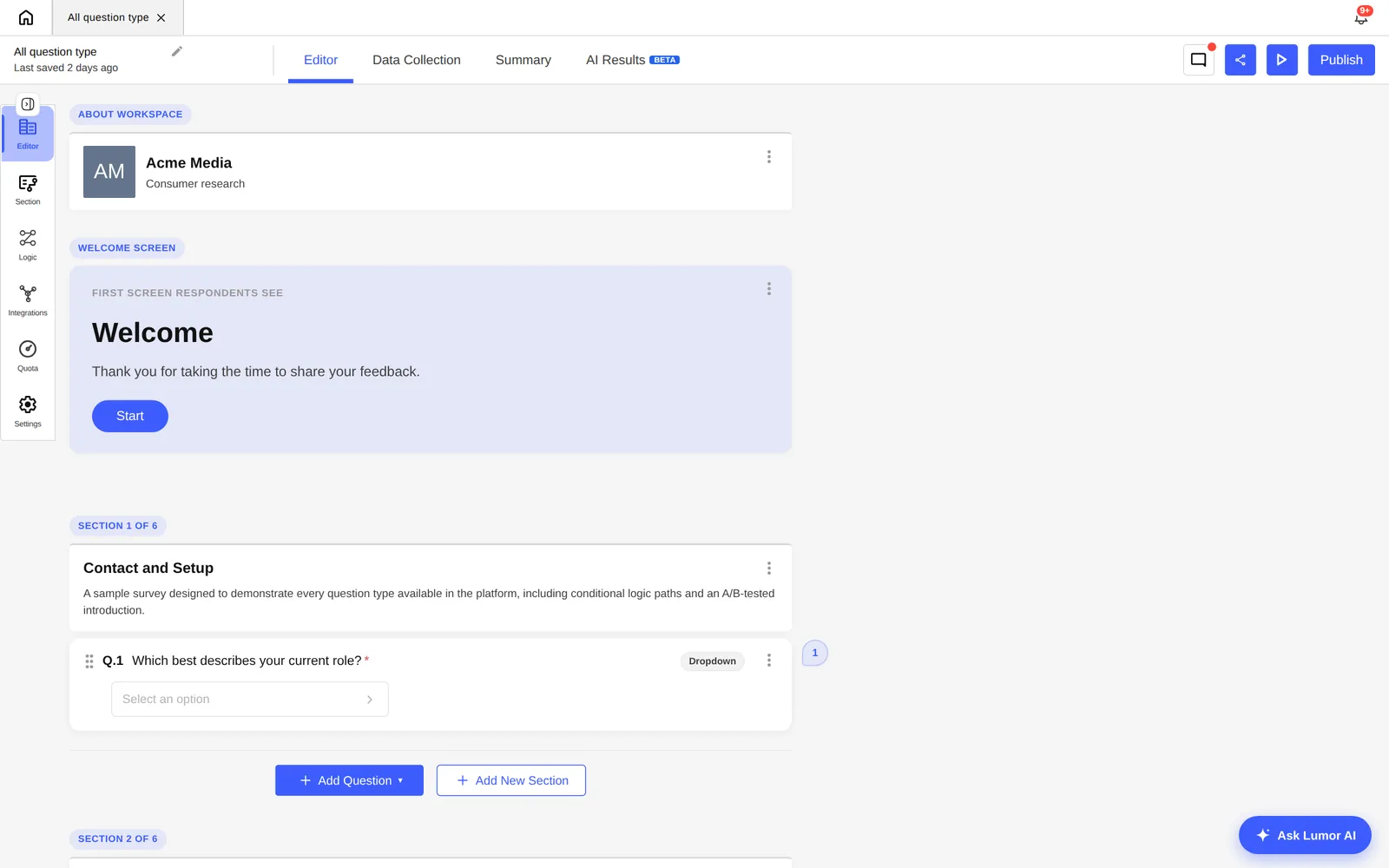
If you've used a form builder before, Lumor will feel familiar — but it's built for research, not just data capture. This guide takes you from a blank canvas to a live, distributable survey in about fifteen minutes.
There are two ways to start: describe what you want to learn and let AI draft the survey, or build it question by question. Most people start with AI and edit from there — it's faster, and editing a draft is easier than facing an empty form.
Have one thing ready: the single decision this survey needs to inform. “Should we move bill payment to the home screen?” is a decision. “Understand the app” is not. A tight scope makes every later step easier.
Start from a research question, not a blank form
The most common mistake is opening the editor and typing questions. Instead, write the one question you need answered and the decision it informs. Everything in the survey should earn its place by helping answer that question — if a question doesn't change what you'd do, cut it.
A good sprint-sized survey is 6–10 questions. Long surveys lower completion rates and bury the signal you actually need.
Let AI draft the first version
From the editor, describe your goal in plain language and Lumor's AI drafts a full survey — sensible question types, ordering, and answer options included. You're reviewing and refining, not building from scratch.
Type the research question and a line of context — audience, product area, and the decision it feeds. The more specific the prompt, the better the draft.
Lumor proposes questions, types, and options. Read it as a respondent: is anything leading, double-barrelled, or redundant? Trim ruthlessly.
Reword, reorder, change question types, and fix answer options directly in the editor. Keep the survey to the questions that move your decision.
Pick the right question types
Lumor ships 20+ question types. You rarely need more than a handful per study. The common ones:
- Single & multiple choice — the workhorses for behaviour and preference.
- Rating & Likert — agreement, satisfaction, and intensity on a scale.
- NPS — the standard 0–10 likelihood-to-recommend, scored automatically.
- Best-Worst (MaxDiff) — force trade-offs when everything looks “important” in a flat rating.
- Ranking — order a small set of options by preference.
- Open text — the “why” behind the numbers; AI groups these into themes later.
Pair one quantitative question with one open-text follow-up on the things that matter most. The number tells you what; the open text tells you why — and Lumor's AI turns those open responses into named themes for you at analysis time.
Add logic so the survey adapts
Branching and skip logic let the survey react to each respondent — show a follow-up only to people who picked a given option, or route different segments down different paths. This keeps surveys short for each person while still capturing depth where it matters. You set conditions visually, no formulas required.
Preview, then launch a collector
Before you share anything, preview the survey end to end — including the logic paths — exactly as a respondent will see it. Then create a collector and distribute it.
Walk through the survey as a respondent. Check that logic routes correctly and the experience reads cleanly on mobile.
Generate a shareable link to send by email, embed, or post — or recruit respondents from the Lumor panel if you need an external audience.
Set the collector live and watch completion rate, reach, and response volume in real time in the Summary tab.
Key takeaways
- Scope the survey to one decision before you write a single question. A tight question makes every other step easier.
- Start from the AI draft and edit — it's faster than a blank form, and you stay in editorial control.
- Use the fewest question types that answer your question, and pair quant with one open-text “why”.
- Preview every logic path and check mobile before you launch the collector.